
Laravel Addon CMS
A CMS where the core stays small, addons own product features, and themes own the website surface.
- Role
- Architect
- Year
- 2025 - present
- License
- MIT open source
- Status
- Public repository
What it is
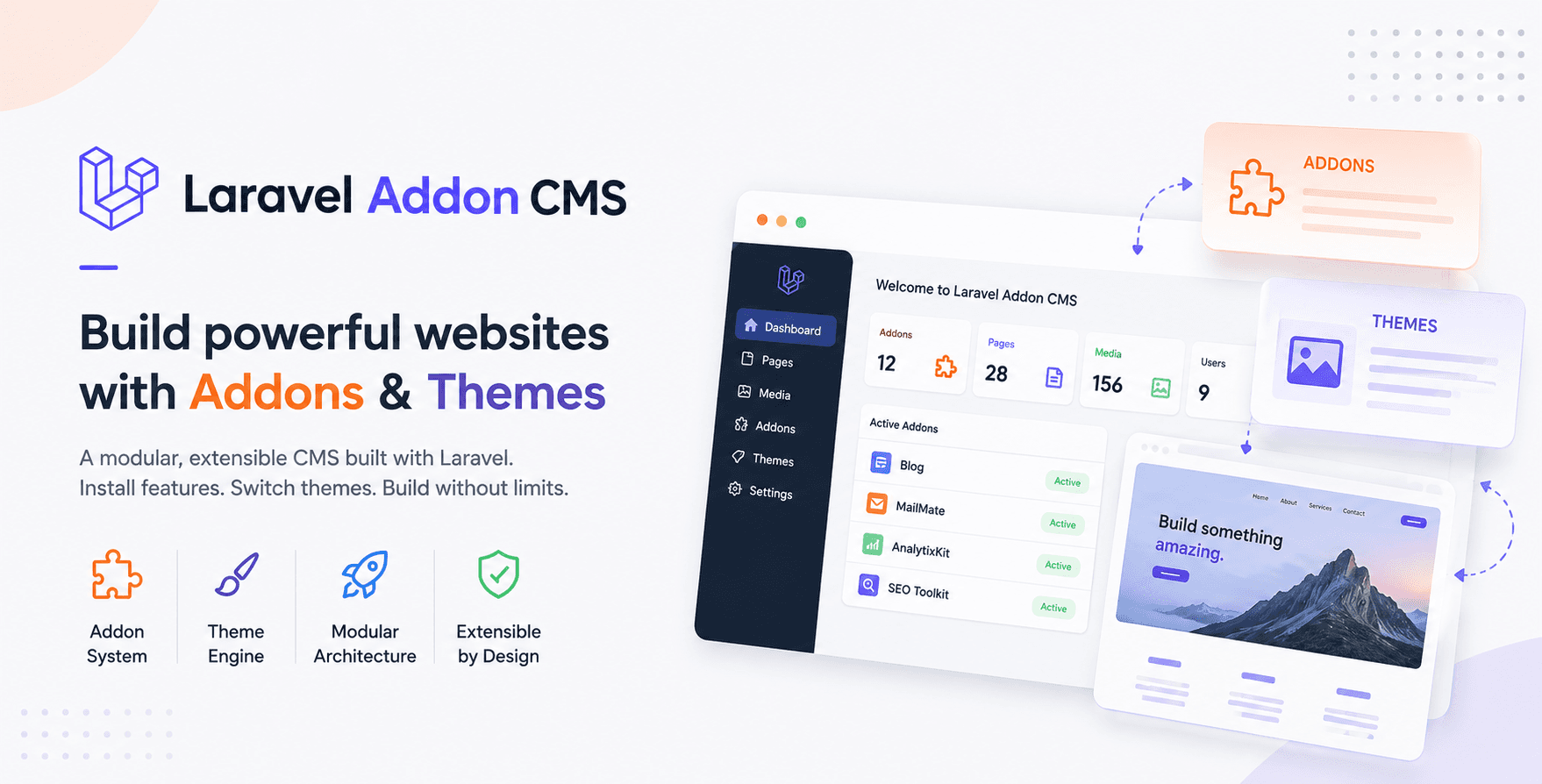
Laravel Addon CMS is an open-source Laravel 12 content management system built around installable addons and switchable themes. The core provides admin authentication, media, pages, SEO settings, theme customization, addon activation, file handling and shared helpers. Addons live under app/Addons and can register their own routes, controllers, models, migrations, views, admin sidebar menus and theme sections. Themes live under app/Themes and register pages, Blade views, assets and configurable sections that site owners can edit from the admin panel. The project is MIT licensed and welcomes contributions, especially around UI/UX, documentation, testing and new addons or themes.
The system exists because small Laravel sites often grow by copying the last project. That is fast for the first delivery and expensive forever after: blog code gets mixed into the core, contact forms get rewritten, theme sections become one-off Blade files, and every patch becomes a search through old client folders.
Laravel Addon CMS takes the opposite shape. The core owns the boring shared work: admin login, settings, media uploads, SEO, page registration, theme customization, addon installation and lifecycle management. Product features live as addons. Public website presentation lives as themes. A new project becomes composition instead of a fork.
Built With
Highlights
- Dynamic service-provider registration for active addons and the active theme, driven by database state.
- Addon packages can ship routes, migrations, models, controllers, views, assets, sidebar menus and activation hooks.
- Themes register pages and typed editable sections, then render those sections through Blade with saved content from the admin panel.
- Pushable addon sections let a feature addon provide reusable frontend sections to any supported page.
- Developer commands from cmsaddoncommands scaffold addons, addon models, controllers and migrations.
- The project is open source under MIT, with contribution opportunities in UI/UX, docs, tests, themes and addon ecosystem work.
Live product
Published by KB Zaman.
Visit github.comCase study
Building a Laravel CMS That Developers Can Extend Without Forking the Core
The reason
Laravel Addon CMS started from a simple irritation: too many CMS projects become a pile of copied code. A blog module, a contact form, a language switcher, analytics scripts, cookie consent, invoice features, newsletter forms: each one starts reusable, then gets welded into a client project until nobody wants to update it.
The system exists to keep that boundary visible. The core should not know every future feature. It should provide the admin shell, the database-backed settings layer, media handling, theme content storage, SEO configuration, addon installation and the loader that decides what is active. Everything else should be a package with its own folder, provider, routes and lifecycle.
That is why the repository is open source. It is not trying to be a polished SaaS product with a locked roadmap. It is a Laravel codebase other developers can inspect, run, change, build addons for, build themes for and improve.
How it works
The database decides what the app loads
At boot, the application checks whether the addon and theme tables exist. Once the system is installed, it reads active addons from the addons table and registers each matching service provider from app/Addons/{AddonName}. Then it reads the active_theme option and registers the matching provider from app/Themes/{ThemeName}.
That gives the CMS its main behavior: enabling an addon is not a config-file edit, and switching a theme is not a deploy. The admin state changes what providers boot, which routes exist, which views are namespaced, which sidebar items appear and which theme sections are available.
Theme content is stored in theme_contents and cached after load. Theme section classes describe fields such as text, URLs, images and repeaters. The admin customizer uses those definitions to build editing forms, validates the submitted fields, stores JSON content, and previews changes inside an iframe. On the public side, a section loader loops through the active page sections and includes the matching Blade section view.
Addons
An addon is a Laravel feature package inside the app
Addons live in app/Addons/{AddonName}. A typical addon has a service provider, Activator class, composer.json metadata, routes, controllers, models, views, assets and database migrations. The service provider loads routes and views, then optionally registers admin sidebar items or frontend sections.
PostCraft is the plain example: it loads cms_postcraft.php, registers its views under a PostCraft namespace, and adds Blog Posts menu items to the admin sidebar. MailMate shows the more interesting path: it registers subscriber admin screens and also registers pushable newsletter sections that a theme page can include.
The Activator class gives an addon lifecycle methods for activate, deactivate and delete. During activation the CMS runs the addon migration path with Artisan before marking it active. During deletion it rolls migrations back, calls the addon delete hook, removes the folder and deletes the database row. That is intentionally simple: Laravel developers should recognize the moving parts immediately.
Build addon
How to build a new addon
Install the command helper package, then scaffold the addon. The project already requires amdadulshakib/cmsaddoncommands, which adds Artisan commands for addon development.
# Create the addon folder and its base filesphp artisan make:addon Blog # Generate the feature classesphp artisan addon:model Blog Post -mphp artisan addon:controller Blog PostControllerphp artisan addon:migration Blog create_posts_table # Run or roll back only this addon's migrationsphp artisan addon:migrate Blogphp artisan addon:migrate:rollback BlogRegister routes, views and the admin menu
<?php namespace App\Addons\Blog; use App\Lib\Sidenav;use Illuminate\Support\ServiceProvider; class BlogServiceProvider extends ServiceProvider{ public function boot(): void { $this->loadRoutesFrom(__DIR__.'/routes/cms_blog.php'); $this->loadViewsFrom(__DIR__.'/views', 'Blog'); Sidenav::add('Content', 'Blog posts', 'admin.blog.index', 'ph ph-article'); }}After scaffolding, fill the service provider: load the addon route file, load views with a namespace, add any admin menu entries through Sidenav, and register any pushable sections if the addon has frontend blocks. Keep composer.json accurate: nickname must match the folder and service provider naming convention, version should reflect the addon release, and required_addons or required_system_version should be declared when the addon depends on another piece of the system.
- Keep the addon nickname identical to its folder and service-provider prefix.
- Put database changes inside the addon migration directory so activation and deletion remain reversible.
- Use the addon view namespace instead of reaching into another addon or the active theme.
- Declare required_addons and required_system_version before distributing the addon ZIP.
- Implement activate, deactivate and delete hooks only for lifecycle work that migrations cannot handle.
Themes
A theme owns pages, sections and presentation
Themes live in app/Themes/{ThemeName}. A theme usually contains a service provider, routes, controller, Lib section classes, Blade layouts, section views, slice views for repeaters, assets, config.json and a screenshot. The service provider loads the theme routes and views, shares theme asset helpers, registers configurable sections and registers public pages.
A section class is a small contract between code and the admin UI. Its static register method receives the active ThemeConfig instance. It passes an array to addSection for the section key, title, supported pages and position, then passes field-definition arrays to addField. Repeatable content uses addRepeaterGroup and addRepeaterField.
<?php namespace App\Themes\YourTheme\Lib; class HeroSection{ public static function register($themeConfig): void { $themeConfig->addSection([ 'key' => 'hero_section', 'pages' => ['home'], 'position' => 1, 'title' => 'Hero Section', ]); $themeConfig->addField('hero_section', [ 'type' => 'text', 'key' => 'heading', 'label' => 'Heading', 'default' => 'Build something useful', ]); $themeConfig->addField('hero_section', [ 'type' => 'image', 'key' => 'image', 'label' => 'Hero Image', 'size' => '1200x800', 'accept' => '.png,.jpg,.jpeg,.webp', 'default' => load_image( 'app/Themes/YourTheme/assets/images/hero.jpg' ), ]); $themeConfig->addField('hero_section', [ 'type' => 'url', 'key' => 'button_url', 'label' => 'Button URL', 'attr' => 'href', 'default' => '#', ]); }}To build a new theme, create app/Themes/YourTheme, add YourThemeServiceProvider, load views as Theme, define routes, create Lib classes for sections, create matching Blade files in views/sections, and put repeater item templates in views/slices/{section_key}/{repeater_key}. Register pages with register_pages so the customizer knows which pages exist. Add a row in the themes table or seed data, then set active_theme in basic_settings to activate it.
<section class="hero-section"> <div class="container"> <div class="hero-content"> <h1> <x-ui.text section="hero_section" key="heading" /> </h1> <x-ui.a class="btn" section="hero_section" key="button_url" > Learn more </x-ui.a> </div> <x-ui.img class="img-fluid" section="hero_section" key="image" alt="Hero image" /> </div></section>These UI components are important. They resolve the saved theme content and preserve the CMS editing hooks used by the customizer. Reading values directly from a $content array would bypass the convention used throughout Brixly and make the example misleading.
- Service provider: loads routes and views, then registers pages and section classes.
- Lib directory: defines the editable field schema consumed by the admin customizer.
- views/sections: contains one Blade view for each registered section key.
- views/slices: renders repeatable items such as testimonials, logos or service cards.
- config.json and screenshot.png: identify and present the theme in the admin panel.
- assets: contains theme-owned CSS, JavaScript, images and fonts.
Trade-offs
The architecture got more attention than the interface
The current UI/UX is not the strongest part of the project, and that is intentional to say plainly. Most of the early energy went into code structure: addon boundaries, theme registration, migration lifecycle, content configuration, seeded installs and making the project understandable to Laravel developers.
That trade-off made the system easier to extend, but it leaves visible work in the admin experience. The customizer, media manager, addon screens and theme controls can be cleaner, faster and more polished. A better design pass would not change the core idea; it would make the same architecture easier for non-technical users to trust.
Open source
Where contributions would help
The project is MIT licensed, and contributions are welcome. Useful contributions are not limited to big features. Documentation improvements, install notes for different hosting environments, UI polish, bug fixes, tests, better validation, accessibility fixes, new theme sections, new themes, and well-scoped addons all help.
The best contribution style is small and specific: one addon, one theme section, one admin workflow, one failing test, one documentation gap. The project benefits more from clear pull requests than from large rewrites that make the extension model harder to follow.
In hindsight
What I would keep and what I would improve
I would keep the separation between core, addons and themes. I would keep the Laravel-native shape: service providers, route files, Blade views, migrations, Artisan commands and Composer metadata. The reason the system is approachable is that it does not ask Laravel developers to learn a private framework before they can extend it.
I would improve the admin interface, add more automated tests around addon install/activate/delete flows, document the theme section API more thoroughly, and make the demo data smaller and easier to reason about. The project has the right skeleton; the next work is polish, guardrails and a better contributor path.
ChatGPT assisted with rewriting, formatting and the Bangla translation of this case study.
Questions
What people ask about Laravel Addon CMS
- What is Laravel Addon CMS?
- Laravel Addon CMS is an open-source Laravel 12 CMS built around installable addons and switchable themes. The core handles shared CMS behavior, addons provide features, and themes provide the public website surface and editable sections.
- How does Laravel Addon CMS load addons and themes?
- On application boot, it reads active addon rows from the database and registers each matching addon service provider. It also reads the active_theme option and registers the matching theme service provider. Those providers load routes, views, menus, pages and section configuration.
- How do I create a new addon?
- Use the cmsaddoncommands package: php artisan make:addon YourAddon, then add controllers, models and migrations with addon:controller, addon:model and addon:migration. The addon should include a service provider, composer.json metadata, routes, views, migrations and an Activator class.
- How do I create a new theme?
- Create app/Themes/YourTheme with a service provider, routes, views, assets, section classes under Lib, config.json and screenshot.png. Register sections with theme_configuration, register public pages with register_pages, and create matching Blade files under views/sections and views/slices.
- Is the UI/UX final?
- No. The current UI works, but the main focus so far has been the coding structure: addon boundaries, theme registration, lifecycle handling and developer extensibility. UI/UX polish is one of the best areas for contribution.
- Can people contribute?
- Yes. The project is MIT licensed and contributions are appreciated, especially documentation, tests, UI improvements, bug fixes, accessibility work, themes and addons.